
In this tutorial, we will show you how to setup IPTV on Android using the Lazy IPTV player.
This application enables you to view TV technology-based IPTV. This application does not contain built-in playlists, and is only a client, allowing it convenient and comfortable to watch TV online. Please use playlists in the format m3u with options or xspf.
You can download this app via the link below:
https://play.google.com/store/apps/details?id=com.lazycatsoftware.iptv&hl=en_US
Features of Lazy IPTV
- m3u-playlist support (in open-view or v zip/gz), features to add playlists from device file-system, from internet or clipboard
- can play HTTP and UDP streams, and links from vk-video/youtube
- internet radio playback via the built-in audio player
- support several UDP-proxies, that can be switched directly with the working playlist
- support auto-update playlist, and using a cached version if not available
- customizable main-screen in title-style view, playlists and most-watched channels can be placed there, and a base functions of application with titles sorting
- favorites, with support, nested folders, grouping same channels in different playlists
Related : How can I solve the buffering issues on my KODI?
How to add IPTV channels to Lazy IPTV
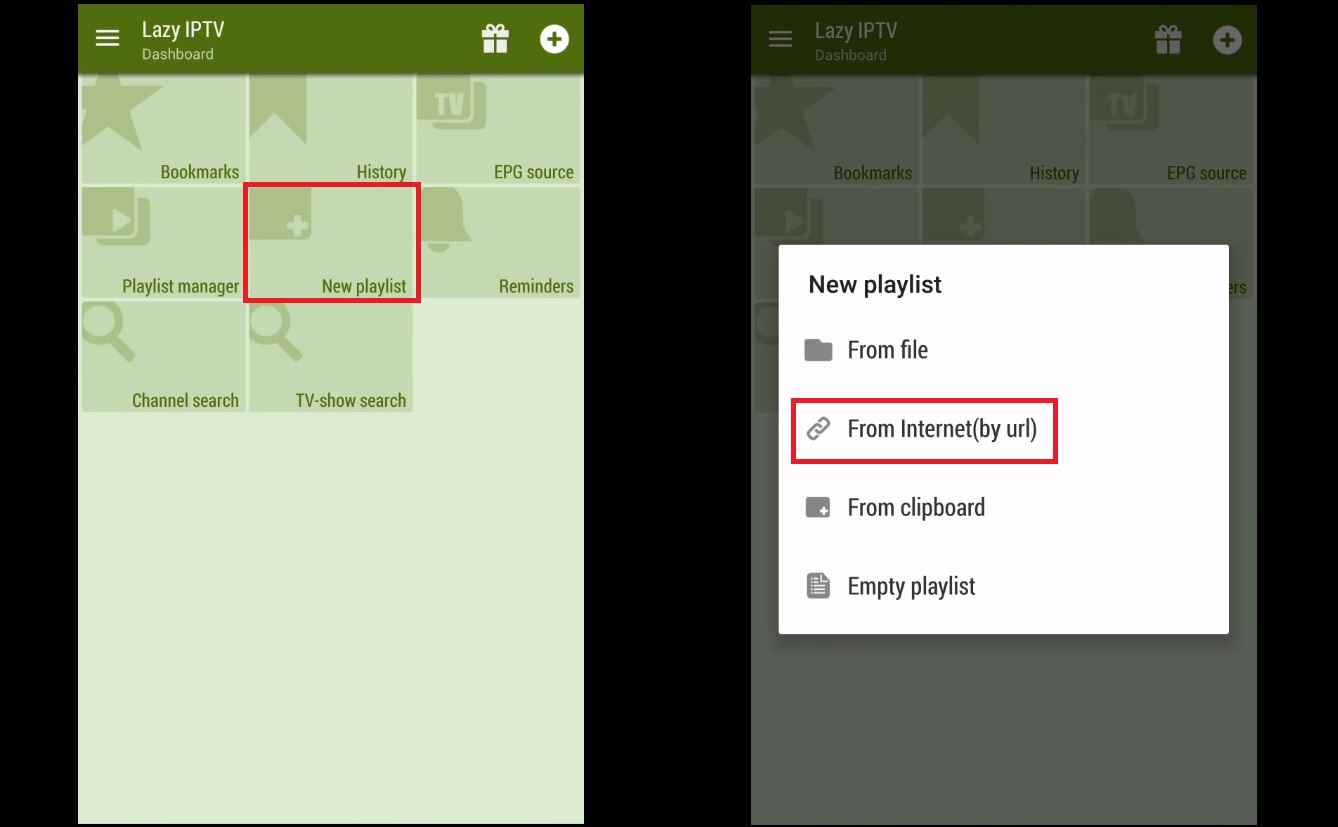
Step 1: In order to add your M3U URL, start by clicking on "New Playlist" and then select "From Internet(by URL)".
Step 2: Here you must give a name to your playlist inside "playlist's name" and paste your M3U link inside "path to playlist file or url" and click on save.
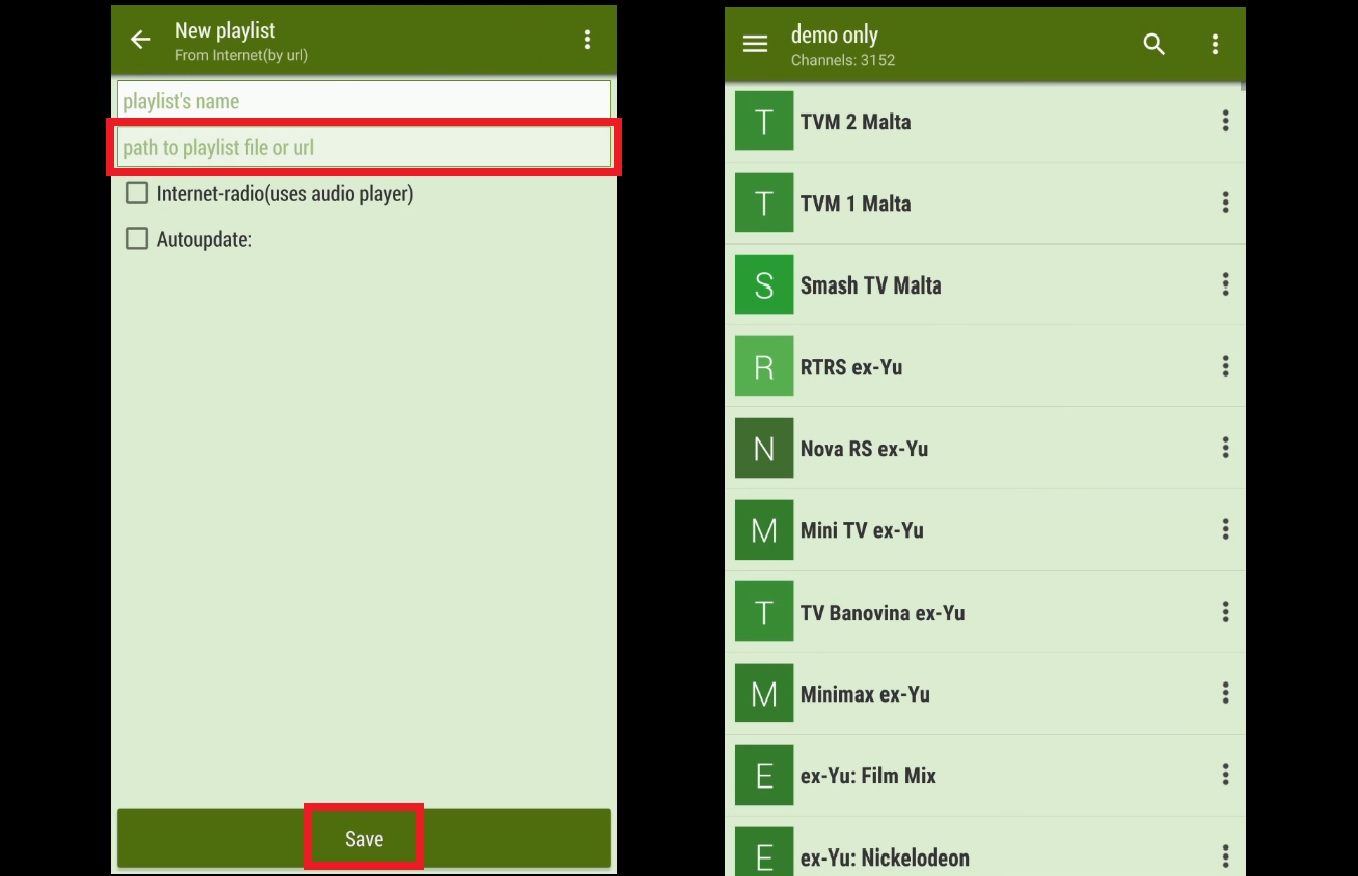
Step 3: Your playlist should be added now. You can select a group and select a channel to start your TV session.
Let us know in the comments section below about your opinion and feedback concerning this article. Thank you in advance.